Legal drafting software
that writes like your firm.
Writer is legal drafting software that works in an editor your team already knows. It reads the files, emails and precedents behind each matter. Then it drafts in your house style and puts a source on every figure.
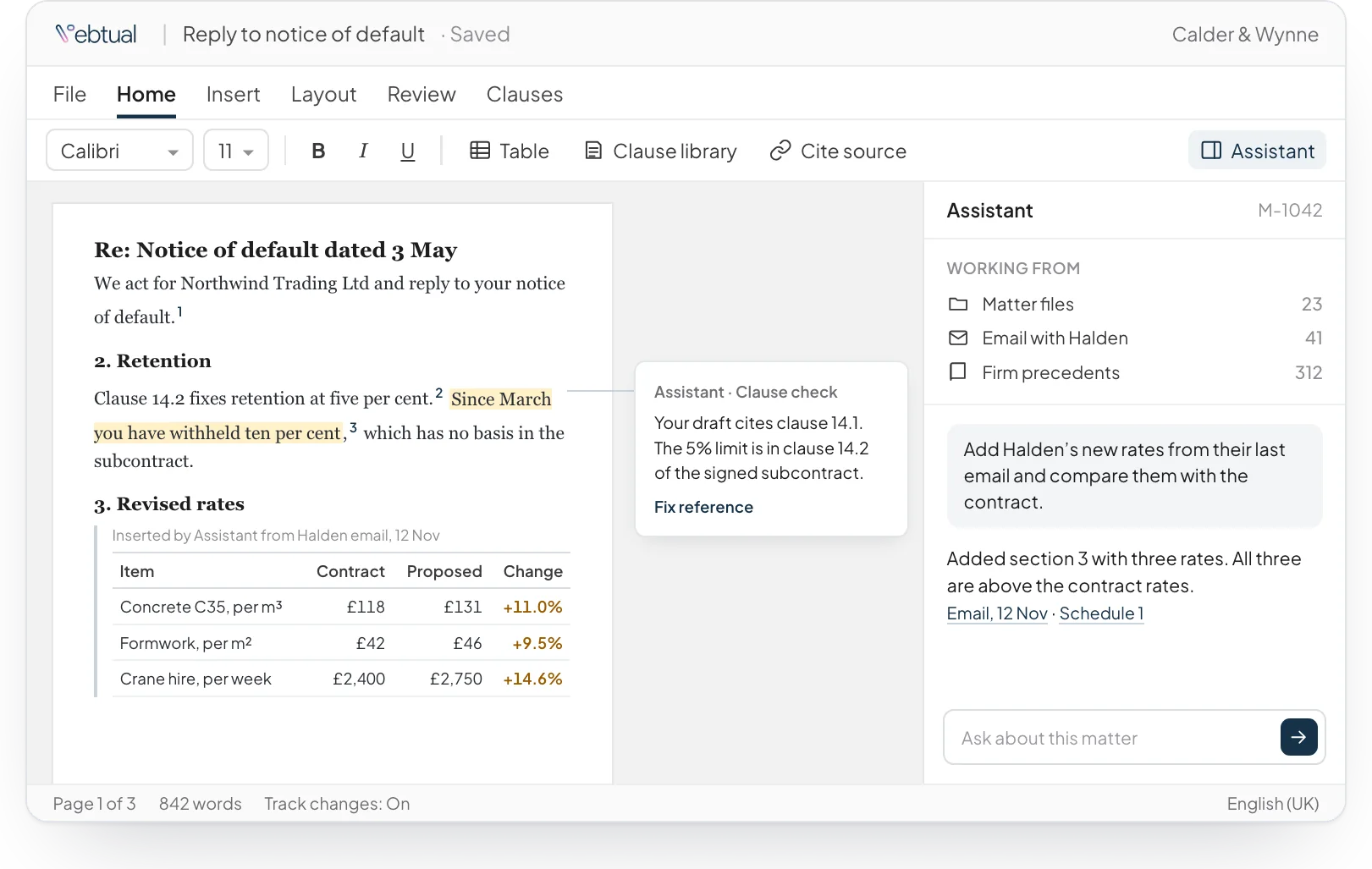
A first draft that starts from your own work
Ask for a section and Writer drafts it from the files, emails and past work that sit behind it. Your team starts from a solid version instead of a blank page, then edits it the way they always have.
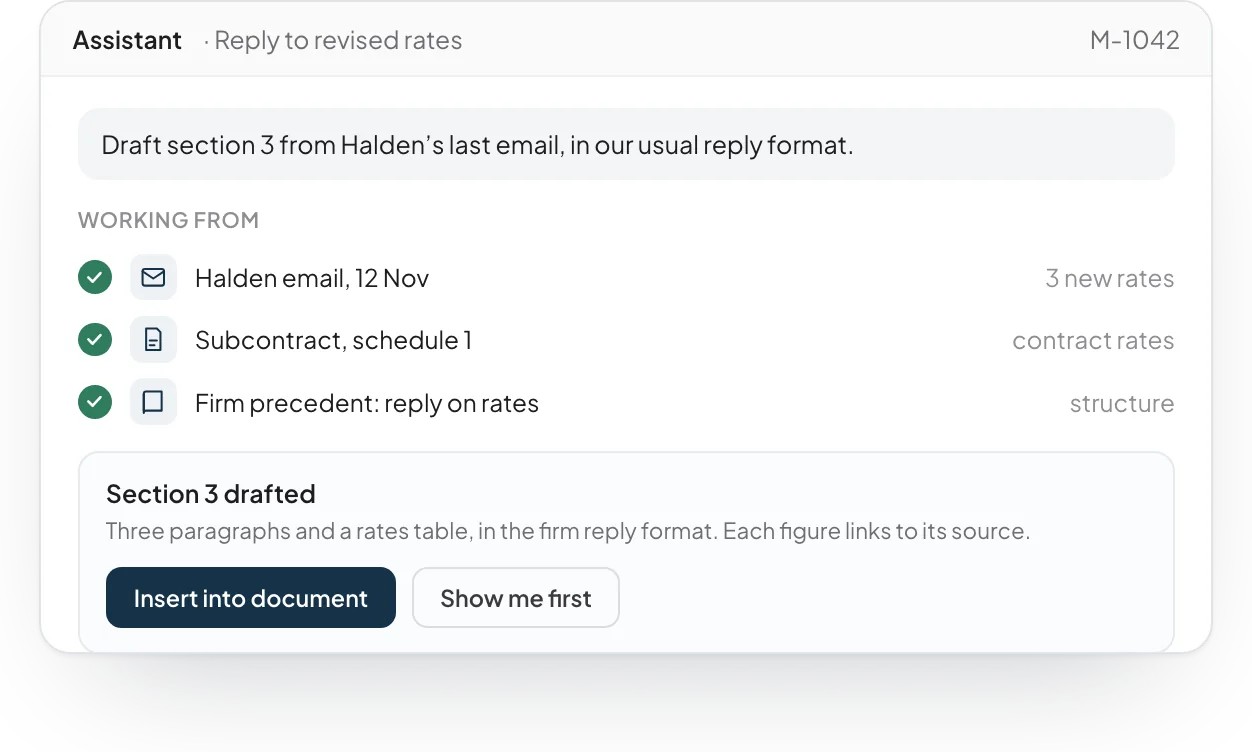
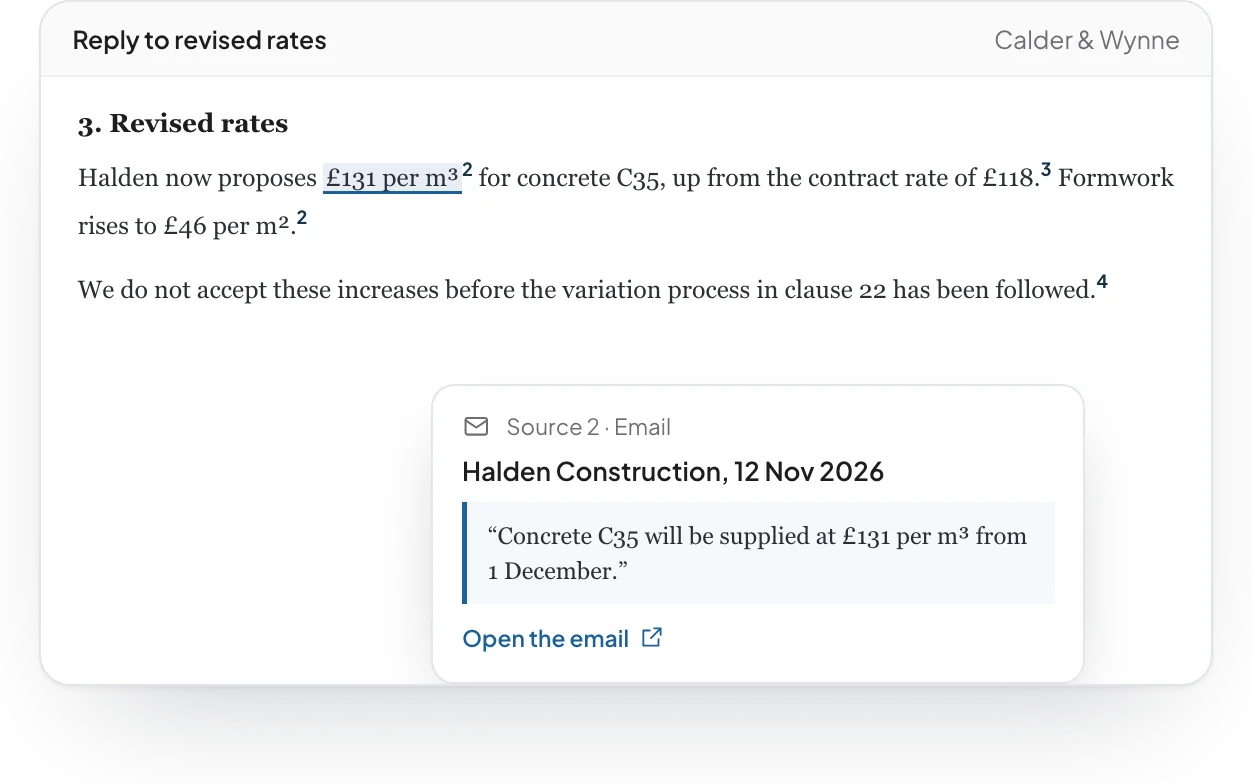
A source behind every figure
Every figure and fact that Writer adds links to the page it came from. Hover over it to see the document, the page and the exact line. Anyone who reviews the draft can check it in seconds.
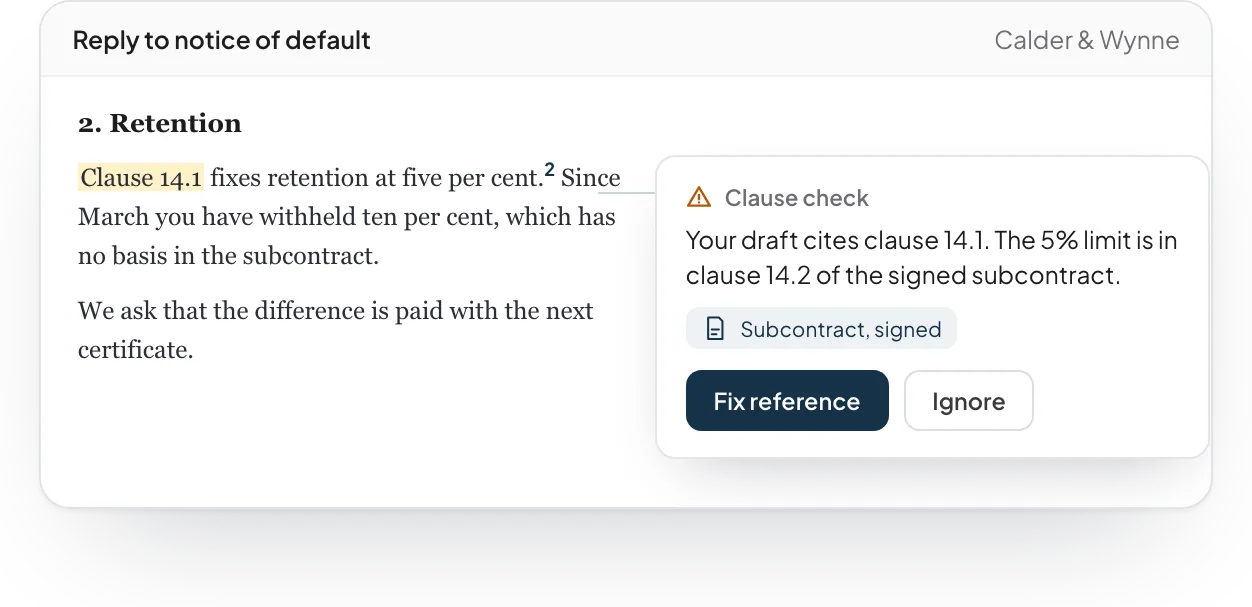
Checks each clause against your own documents
Writer reads your draft against the signed contracts and agreed positions on file. When a reference is wrong or a number does not match, it says so in the margin and offers the fix.
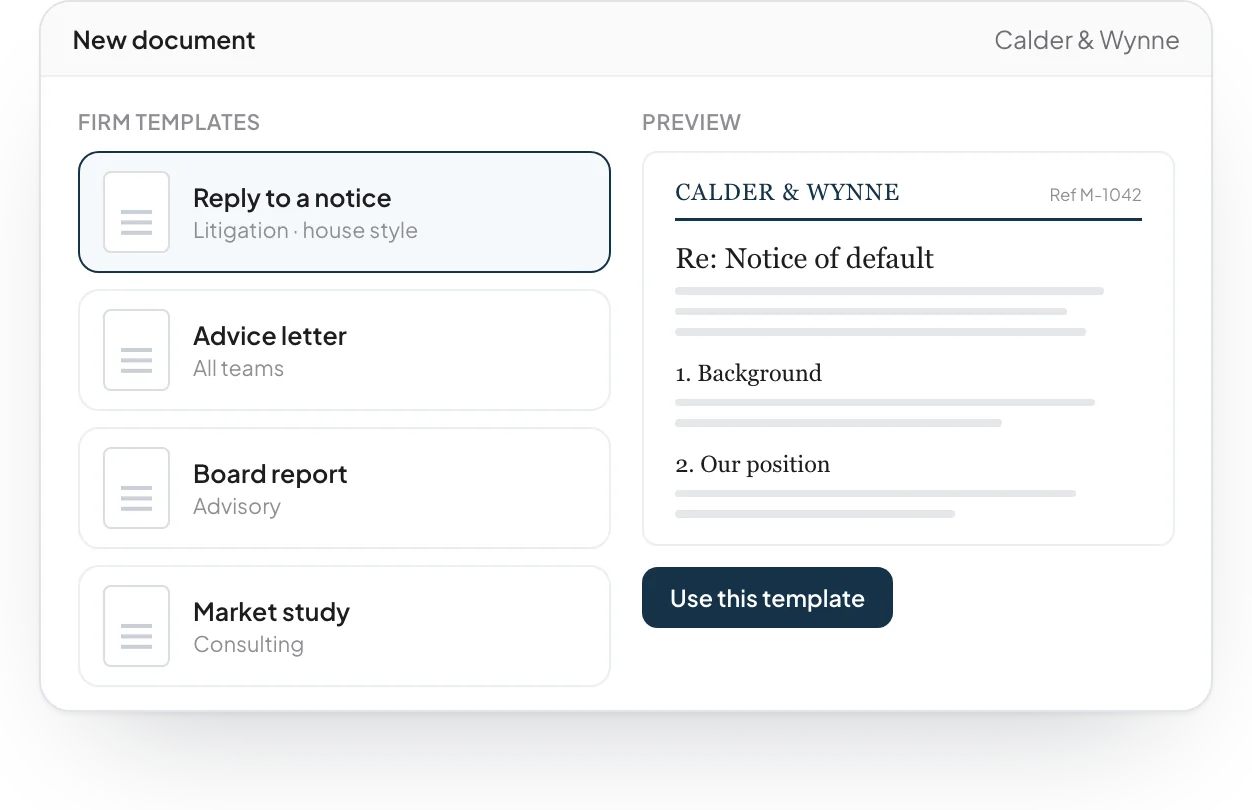
Written the way your firm writes
Your templates, structure and house style are built in. Each new document follows them from the first line, so every report and letter reads in the same voice.
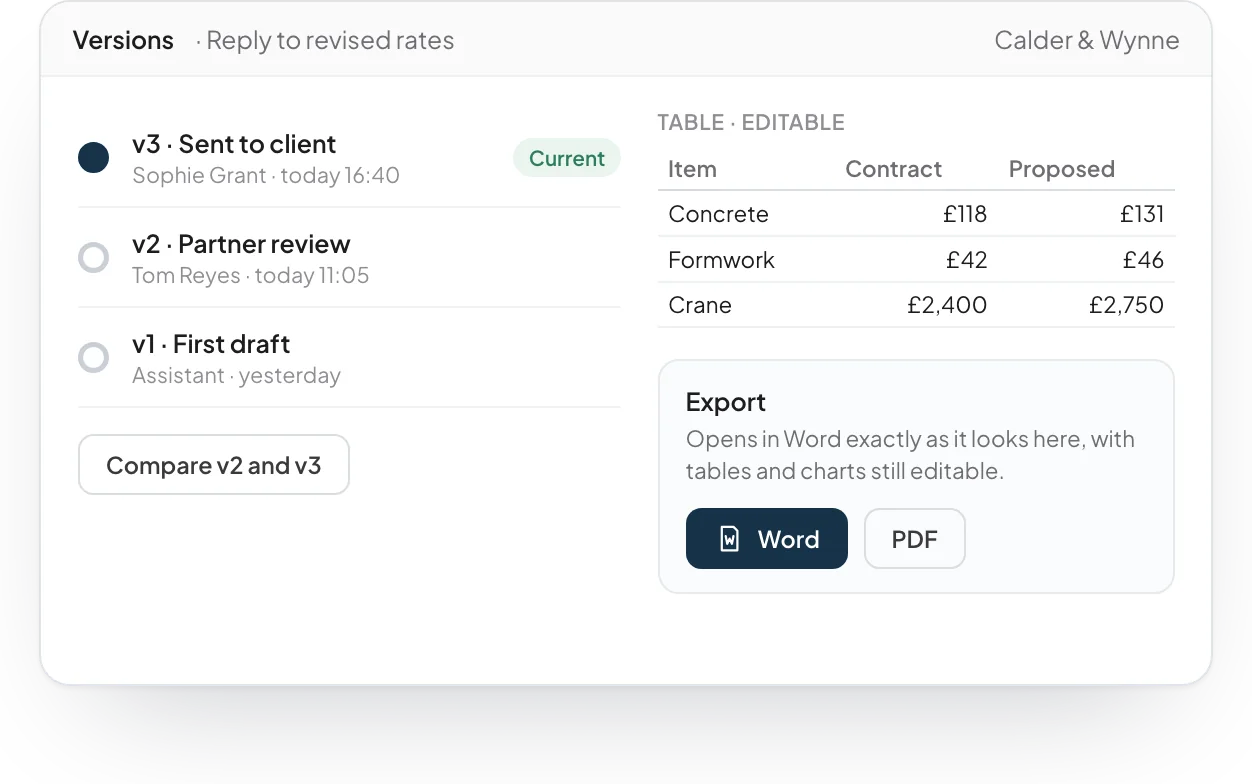
Versions, tables and Word files
Save named versions, compare them and go back at any time. Tables and charts stay editable, and every document opens in Word exactly as it looks here.
Built from software we have already tested.
Writer comes from software we have already built and tested. We fit it to your templates, your systems and your style, then stay to run it with you.
What is legal drafting software?
Legal drafting software helps lawyers prepare contracts, letters and other legal documents. Writer drafts each document from your precedents and the files behind the matter. Your team then edits a solid first version instead of a blank page.
Does it draft in our firm's own style?
Yes. Your templates, structure and house style are built in. Each new document follows them from the first line, so every letter and report reads in the same voice.
Where do the figures in a draft come from?
Every figure and fact that Writer adds links to the page it came from. Hover over it to see the document, the page and the exact line.
Can it check a draft against our contracts?
Yes. Writer reads your draft against the signed contracts and agreed positions on file. When a reference is wrong or a number does not match, it says so in the margin and offers the fix.
Is there a Microsoft Word add-in?
Writer is the main drafting space. It supports tracked changes, redlining, comments, English and Arabic text, and export to Word. Lawyers can keep using Word where they prefer, and we can build a Word add-in as a separate project.
What are the limits of AI legal drafting?
AI can misread a document or miss context that only your lawyers know. For this reason, every figure links to its source and a lawyer reviews each draft before it leaves the firm.

See it working on a case like yours.
Tell us about your organisation and the work you want to move faster. We will show you the software on an example close to yours, and how we would fit it to your systems.