Automated reconciliation software
for registers and claims.
Review & Reconcile is automated reconciliation software for registers. It reads your documents, builds the registers your team needs and checks the totals against bank statements. A person confirms each entry before anything is final.
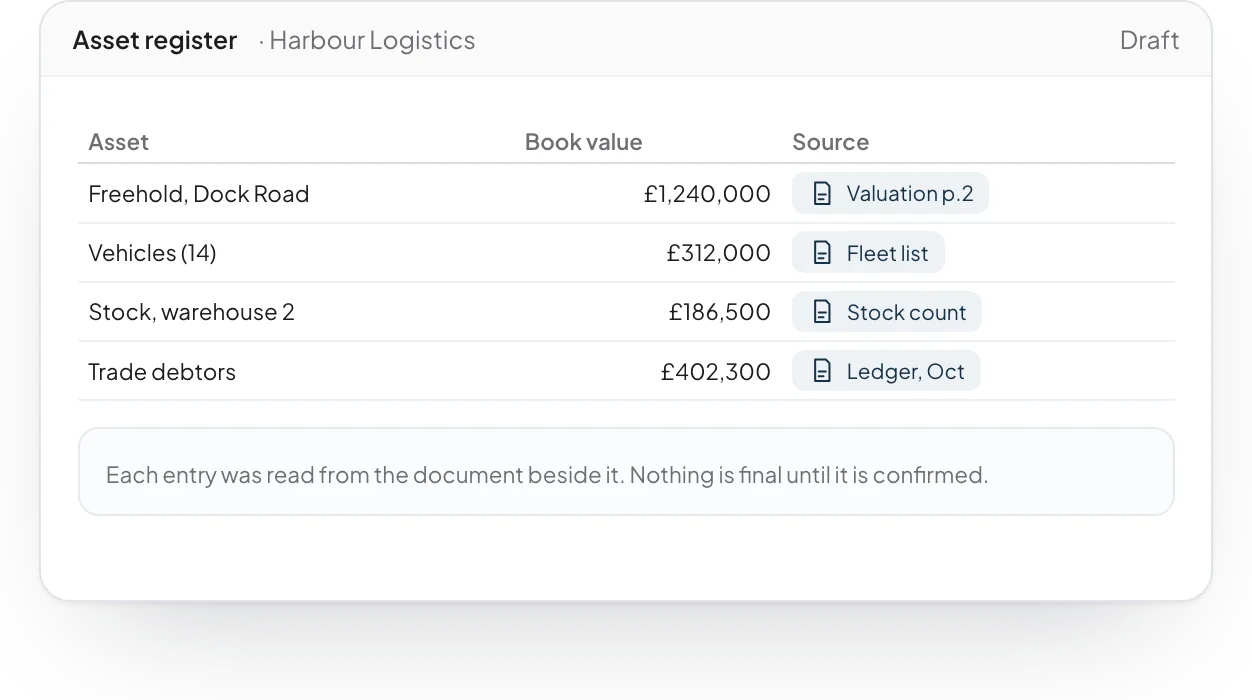
Registers built from the documents
Assets, claims and other registers are drafted from the files. Each entry links to the document it came from.
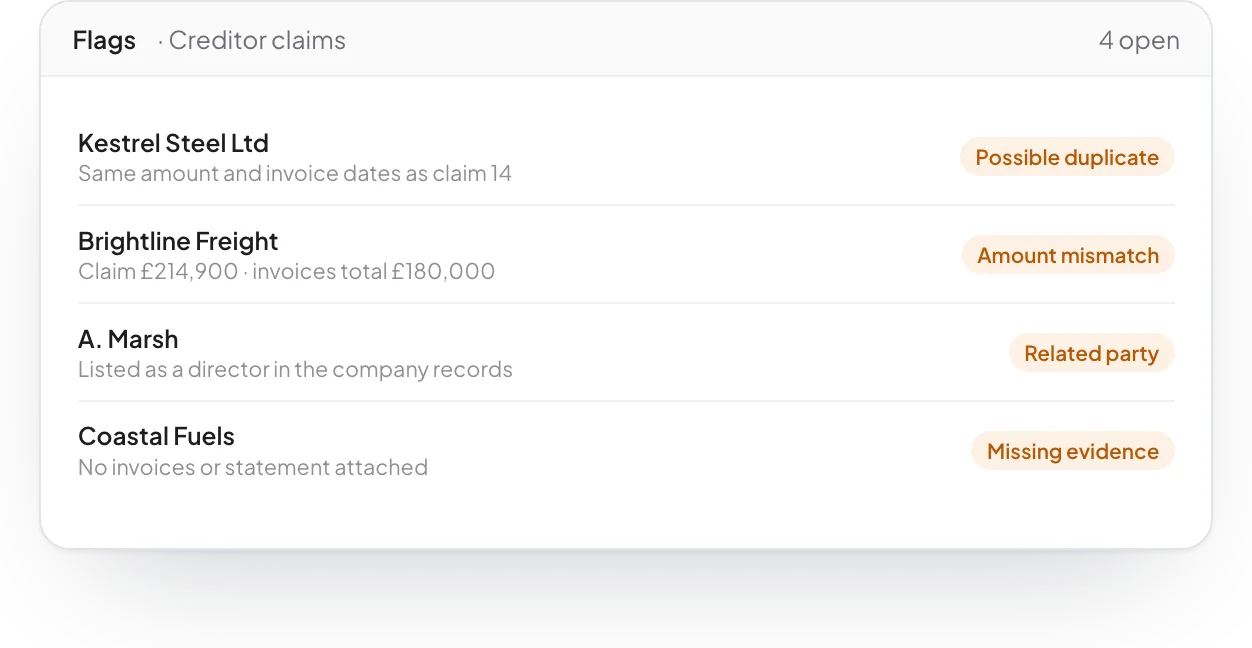
Flags you would otherwise miss
Possible duplicates, amounts that differ from the evidence, related parties and missing documents are marked as soon as they appear.
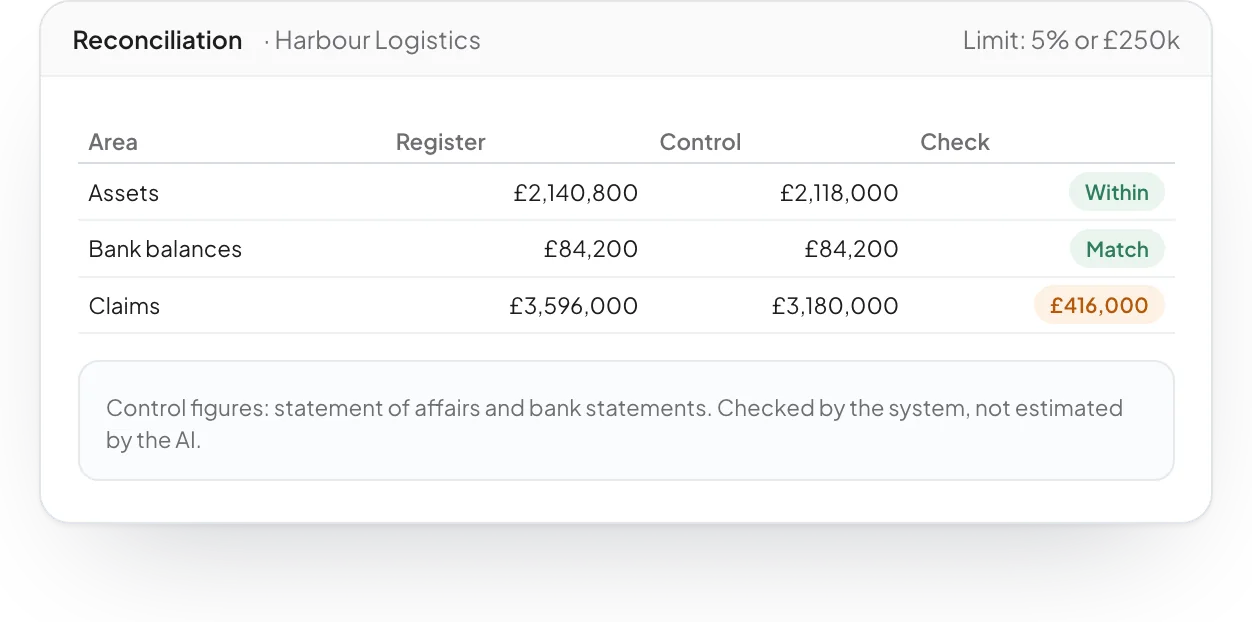
Totals checked against the source
Register totals are checked against control figures such as the statement of affairs and bank statements, with a limit you set.
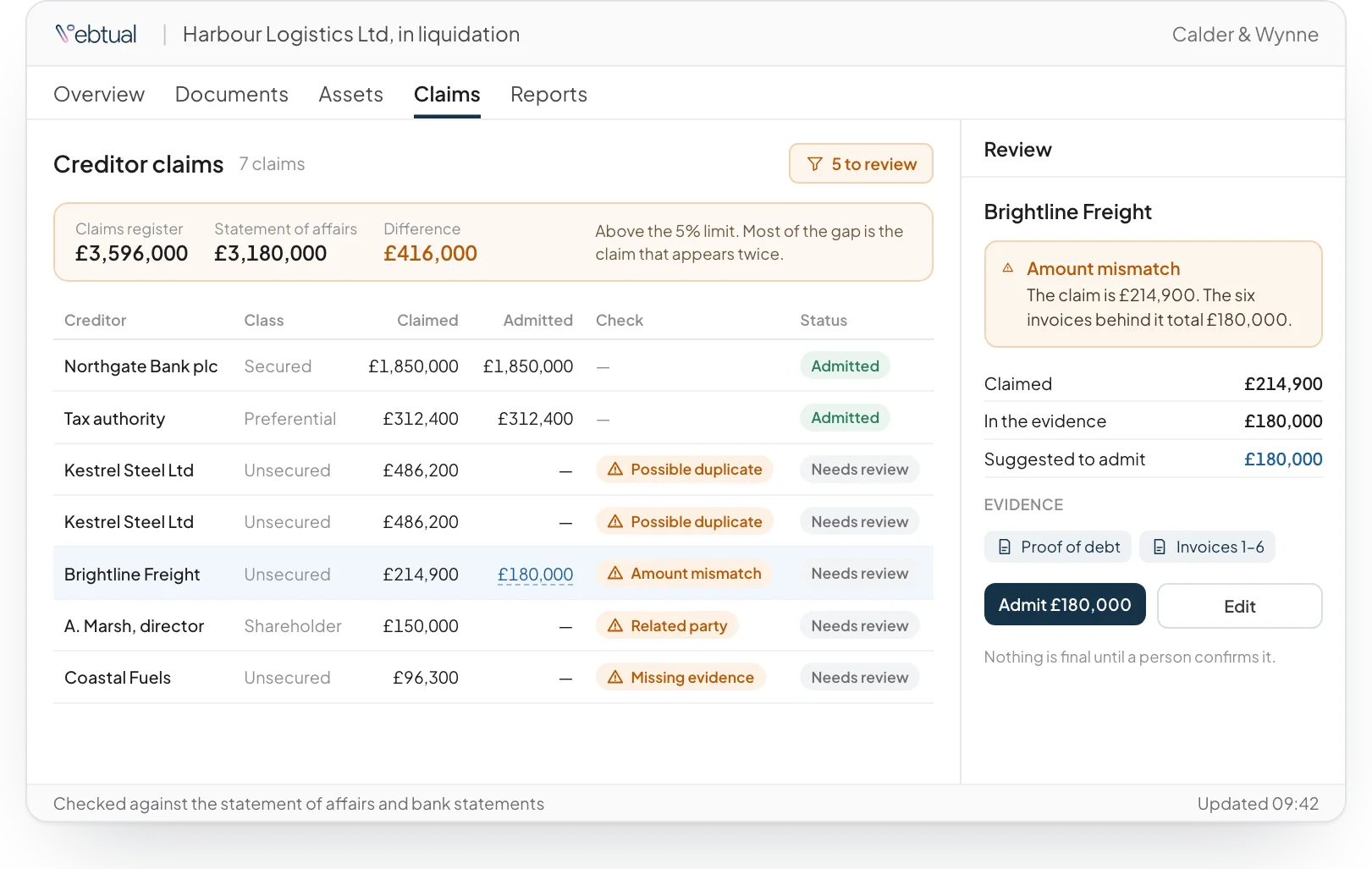
A person makes every call
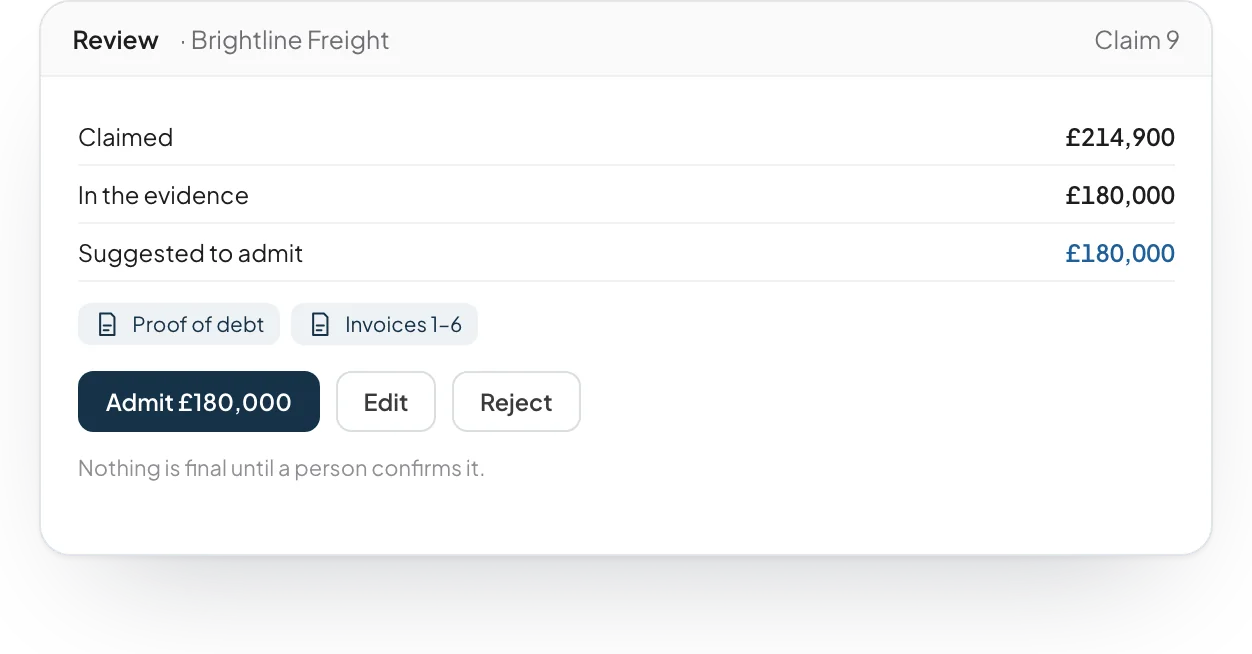
Each suggested entry waits for review. Your team admits, edits or rejects it, and the register shows what is confirmed and what is still open.
Built from software we have already tested.
Review & Reconcile comes from software we have already built and tested. We fit it to your systems, your documents and your style, then stay to run it with you.
What is reconciliation in accounting?
Reconciliation means checking one set of records against another to confirm that they agree. An example is checking a register against bank statements.
What does automated reconciliation software do?
It compares your records against a control source and flags each entry that does not agree. Review & Reconcile also builds the registers from your documents first.
Which registers can it build?
It builds asset registers, claim registers and other registers from your files. Each entry links to the document it came from.
What does it flag?
It flags possible duplicates, amounts that differ from the evidence, related parties and missing documents. Register totals are checked against control figures, with a limit your team sets.
Who makes the final decision?
Your team does. Each suggested entry waits for review, and your team admits, edits or rejects it. The register shows what is confirmed and what is still open.

See it working on a case like yours.
Tell us about your organisation and the work you want to move faster. We will show you the software on an example close to yours, and how we would fit it to your systems.